

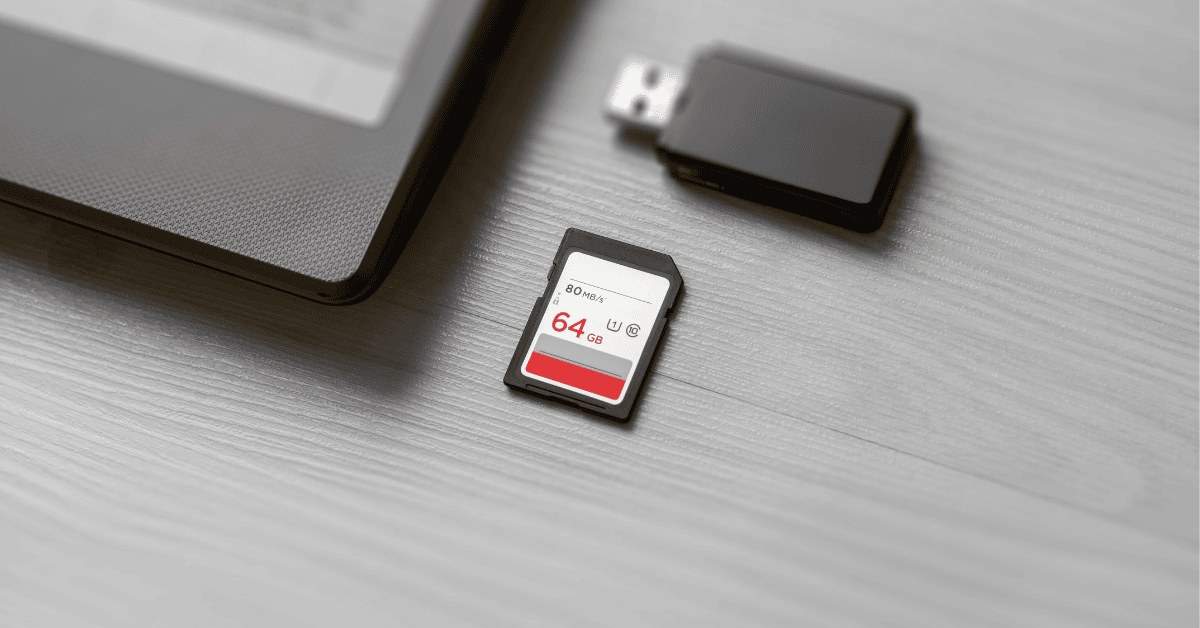
SD Card Symbols and Logos Explained
SD card symbols can be confusing at first. A single SD or microSD card may show logos such as C10, U1, U3, V30, A1, A2, SDHC, SDXC, or SD Express. Each marking tells you something important about the card’s capacity, speed, video recording support, or application performance.
Understanding these SD card logos helps you choose the right card for cameras, drones, phones, tablets, embedded systems, and professional video equipment. This guide explains the most common SD card symbols and what they mean.
Quick Answer: What Do SD Card Symbols Mean?
SD card symbols show the card’s capacity type, minimum sustained write speed, video recording class, bus interface, and application performance rating. Common SD card logos include C10 for Speed Class, U1 or U3 for UHS Speed Class, V30 or V60 for Video Speed Class, and A1 or A2 for app performance.
SD Card Logo Meaning: Quick Reference Chart
Use this chart as a quick guide to common SD card symbols and microSD card markings.
| Symbol or Logo | What It Means | Common Use |
|---|---|---|
| C2 / C4 / C6 / C10 | Speed Class rating for minimum sustained write speed | Photos, HD video, Full HD video, and general recording |
| U1 | UHS Speed Class 1 | Full HD video and everyday recording |
| U3 | UHS Speed Class 3 | 4K video and higher-speed capture |
| V6 / V10 / V30 | Video Speed Class rating | HD, Full HD, and 4K video recording |
| V60 / V90 | Higher Video Speed Class rating | High-bitrate 4K, 6K, and 8K video workflows |
| A1 / A2 | Application Performance Class | Running apps and app data on phones, tablets, and portable devices |
| SDHC | Secure Digital High Capacity | Common lower-to-mid capacity SD cards |
| SDXC | Secure Digital Extended Capacity | Higher-capacity SD and microSD cards |
| SD Express | High-speed SD standard using PCIe and NVMe technology | High-performance storage and professional workloads |
| microSD | Smaller SD card form factor | Phones, drones, action cameras, tablets, and embedded devices |
Understanding SD Card Classes and Logos
SD cards use different logos to show performance and compatibility. These markings help users quickly compare cards without reading the full technical specification. The most common markings include Speed Class, UHS Speed Class, Video Speed Class, Application Performance Class, and capacity logos such as SDHC or SDXC.

Speed Class Symbols: C2, C4, C6, and C10
The Speed Class symbol uses a number inside the letter C. This marking shows the card’s minimum sustained write speed. Sustained write speed matters when recording video because the card must keep writing data without interruptions.
- C2: Basic speed class for standard-definition video.
- C4: Suitable for some HD video recording.
- C6: Designed for higher-quality HD and Full HD recording.
- C10: Common choice for Full HD video, photography, and general use.
For many modern devices, C10 is the most common Speed Class symbol you will see. However, cameras and video equipment may also require UHS or Video Speed Class markings.
UHS Symbols: U1 and U3
UHS Speed Class uses a number inside the letter U. The two common UHS symbols are U1 and U3. These markings are often found on SDHC, SDXC, microSDHC, and microSDXC cards.
- U1: Indicates a minimum sustained write speed suitable for Full HD video and general recording.
- U3: Indicates a higher minimum sustained write speed commonly used for 4K video and faster capture needs.
If you are choosing a card for 4K recording, U3 is usually a safer choice than U1. Always check your device manual because some cameras require a specific rating.
Video Speed Class Symbols: V6, V10, V30, V60, and V90
Video Speed Class symbols use the letter V followed by a number. These logos were created to make video recording requirements easier to understand, especially for 4K, 6K, and 8K recording.
- V6: Entry-level Video Speed Class for basic video recording.
- V10: Common for Full HD video and general recording.
- V30: Commonly used for 4K video recording.
- V60: Designed for higher-bitrate 4K and professional video workflows.
- V90: Designed for demanding high-bitrate video, including some 6K and 8K workflows.
For many creators, V30 is a common starting point for 4K video. Professional cameras may require V60 or V90 depending on resolution, frame rate, and bitrate.
A1 and A2 Symbols on SD and microSD Cards
The A1 and A2 logos stand for Application Performance Class. These symbols matter most when a card is used for apps, games, and app data on phones, tablets, handheld devices, or other portable systems.
- A1: Indicates a baseline level of random read and write performance for running apps.
- A2: Indicates a higher application performance class and may improve responsiveness in supported devices.
If you only use an SD card for photos or video, A1 and A2 may not be the most important markings. If you use a microSD card for apps or portable systems, these symbols become more useful.
SDHC, SDXC, and SDUC Capacity Logos
Capacity logos help identify the card’s storage family. These markings are important because older devices may not support newer, higher-capacity card types.
- SDHC: Secure Digital High Capacity. Common on lower-to-mid capacity cards.
- SDXC: Secure Digital Extended Capacity. Common on higher-capacity SD and microSD cards.
- SDUC: Secure Digital Ultra Capacity. Designed for very high-capacity SD cards.
Before buying a card, check whether your device supports SDHC, SDXC, or SDUC. A card may physically fit into a slot but still not work if the device does not support that capacity family.
microSD Card Logos vs SD Card Logos
microSD cards use many of the same symbols as full-size SD cards. You may see C10, U1, U3, V30, A1, A2, SDHC, or SDXC markings on microSD cards. The main difference is the physical size of the card, not the meaning of the logo.
microSD cards are commonly used in phones, drones, action cameras, tablets, gaming devices, industrial systems, and embedded storage applications. Full-size SD cards are often used in cameras, video equipment, laptops, and professional recording devices.
SD Express and Faster SD Card Interfaces
SD Express is a newer SD standard designed for much faster data transfer. It uses PCIe and NVMe technology to support higher performance than traditional SD interfaces. SD Express can be useful for professional workflows that involve large files, high-resolution video, or fast data movement.
Not every device supports SD Express. If you use an SD Express card in a device that does not support the faster interface, performance may fall back to a slower supported mode. Always check device compatibility before choosing an SD Express card.

Which SD Card Symbol Should You Choose?
The right SD card depends on your device and workload. A photographer, drone operator, mobile user, and embedded system designer may all need different card ratings.
- Everyday photos and basic storage: C10, U1, or similar ratings may be enough for general use.
- Full HD video: C10 or U1 is commonly used, depending on the device.
- 4K video: Look for U3 or V30 as a common starting point.
- High-bitrate professional video: Check whether your device requires V60 or V90.
- Apps and portable devices: Look for A1 or A2 if app performance matters.
- Industrial or embedded systems: Consider temperature grade, endurance, lifecycle support, and supply availability in addition to card logos.
SD and microSD Card Support from AMP
AMP offers SD and microSD card options for customers that need reliable removable storage for commercial, industrial, embedded, and application-specific systems. If you are comparing SD card symbols, capacities, temperature requirements, or lifecycle needs, AMP can help review the right storage option for your application.
Explore AMP removable storage options in the AMP store, or contact our team at 714.460.9800 or sales@ampinc.com.
FAQs About SD Card Symbols and Logos
SD card symbols show important card features such as capacity type, speed class, video speed rating, application performance, and interface support. Common symbols include C10, U1, U3, V30, A1, A2, SDHC, and SDXC.
C10 means Speed Class 10. It indicates a minimum sustained write speed commonly used for Full HD video recording, photography, and general storage.
U3 means UHS Speed Class 3. It indicates a higher sustained write speed than U1 and is commonly used for 4K video recording and faster capture needs.
V30 is a Video Speed Class symbol. It is commonly used for 4K video recording because it indicates a sustained write performance level intended for video capture.
A1 and A2 are Application Performance Class ratings. They are useful when a microSD card is used to run apps or store app data on phones, tablets, or portable devices.
SDHC and SDXC are SD card capacity families. SDHC cards are used for lower-to-mid capacity storage, while SDXC cards are used for higher-capacity SD and microSD cards. Device compatibility should be checked before buying.
Many SD card logos have the same meaning on microSD cards. Symbols such as C10, U1, U3, V30, A1, A2, SDHC, and SDXC can appear on both SD and microSD cards.


